


Retro gaming enthusiasts have watched iOS emulation evolve rapidly over the past few years, moving from complex sideloading setups to polished App Store releases. The arrival of Folium—developed by Shenzhen Aoshuang Future Technology Co., Ltd—pushes the boundaries even further by consolidating dozens of classic hardware architectures into a single, unified library. Our testing team has spent the last week putting this ambitious all-in-one retro suite through its paces on modern Apple hardware.
Getting your hands on this pre-release build requires a verified invitation through Apple's beta distribution framework, making the TestFlight channel the prime destination for early adopters. Below, we break down everything you need to know about Folium's vast architectural support, real-world thermal performance, and step-by-step installation instructions. Read on for our complete technical breakdown of the current build.
Folium — Quick Specifications
Developer: Shenzhen Aoshuang Future Technology Co., Ltd
About Folium
Folium is an expansive multi-system retro emulation suite designed from the ground up for iPhones and iPads running modern Apple Silicon. Users launch the application to find a centralized, metadata-rich library interface that organizes arcade cabinets, vintage handhelds, home consoles, and classic computer software in one place. The software ships as an empty container, meaning players must supply their own legally owned backups, system BIOS files, or homebrew software to populate their personal digital museums.
The core premise centers on providing native, high-performance execution across an astonishing array of platforms without requiring separate apps for every generation. Players can jump seamlessly from a chunky Game Boy Color cartridge classic to a demanding Nintendo GameCube or PlayStation Portable 3D title within the same menu structure. Cloud integration tools allow users to import massive ROM collections instantly using popular storage providers like Google Drive, Dropbox, WebDAV, and SMB shares.
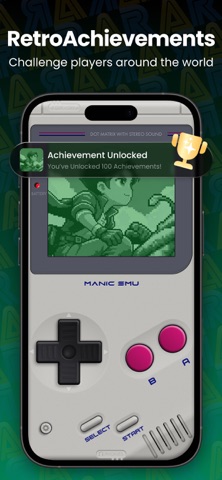
Shenzhen Aoshuang Future Technology Co., Ltd has engineered this project to bridge the gap between casual arcade picking and hardcore achievement hunting. The developer team has integrated native RetroAchievements support, complete with hardcore mode restrictions and multiset tracking for completionists. By combining local multiplayer room hosting, AirPlay big-screen mirroring, and universal iCloud save synchronization, the studio aims to establish a new gold standard for iOS emulation utility.
Standout Features & What's New in this Build
This particular TestFlight build introduces several major under-the-hood optimizations aimed at frame pacing consistency and device thermal efficiency. Testers exploring the latest package will notice expanded input mapping options alongside refined web-import handlers for faster cloud syncing.
- Universal Multi-System Support: Emulate over forty distinct hardware platforms ranging from classic 8-bit systems like the NES and Atari 2600 to complex 3D powerhouses like the PlayStation Portable and Nintendo GameCube.
- RetroAchievements Integration: Connect your profile to track global trophies, enable hardcore rulesets for legitimate challenge runs, and grind multiple subsets simultaneously without manual ROM patching.
- Cloud Sync & Import: Synchronize saves, game libraries, and configurations across multiple iOS devices via encrypted iCloud backups while pulling files directly from OneDrive, Dropbox, and WebDAV servers.
- Flexible Controller & Display Options: Pair native DualShock, Xbox, and Nintendo Joy-Con gamepads over Bluetooth, or project your gameplay directly to a living room TV using low-latency AirPlay mirroring.
- Advanced Fast Forward & Cheats: Accelerate grinding loops with up to 5x fast forward speeds while activating on-demand cheat codes fetched straight from an integrated online library.

Hands-On Impressions: Performance, Battery, and Thermals
Putting Folium through real-world testing on modern Pro-tier Apple devices reveals impressive frame pacing, though demanding systems like the GameCube and Nintendo 3DS will inevitably push hardware limits. Titles rendered at native resolutions locked onto 120Hz ProMotion displays remarkably well, though extended play sessions will trigger noticeable thermal throttling on base-model iPhones without adequate airflow. Touch controls remain surprisingly responsive, but pairing a physical Bluetooth controller completely transforms the experience into something resembling a dedicated handheld console.
Battery consumption scales directly with the emulation target; 8-bit and 16-bit cores sip power gently, whereas heavy 3D emulation will drain a battery percentage roughly twice as fast as native mobile gaming. Visual artifacts and occasional audio popping remain present on specific experimental cores, but the rapid update cadence from the development team suggests these rough edges will smooth out before public release.
"Folium represents an astonishing engineering feat for iOS, packing decades of computing and console history into a single sandbox that respects modern display technology and controller ecosystems."
System Requirements & Requested Permissions
To run this TestFlight build smoothly, your Apple device must be updated to iOS 15.0 or later, though optimal performance on demanding 3D platforms requires modern A-series or M-series Apple Silicon. The app requests standard local network access permissions to facilitate multiplayer room scanning and LAN spectator streaming without hitting external relay bottlenecks. Apple's rigorous sandboxing architecture ensures that your imported game directories and cloud-synced save states remain strictly partitioned and secure.
Pros & Cons: Beta Impressions
✓ The Highs (What We Love)
- Library Scope: Unprecedented number of supported retro consoles and computer architectures in one app.
- Cloud Connectivity: Seamless ROM import from Google Drive, Dropbox, WebDAV, and SMB shares.
- Achievement Support: Fully integrated RetroAchievements with hardcore mode and multiset tracking.
✕ Beta Caveats (Room for Polish)
- Thermal Load: Demanding 3D emulation cores generate noticeable heat and drain battery quickly.
- Audio Stutters: Occasional sound crackling and frame drops on specific experimental emulation cores.
- Setup Complexity: Users must supply their own BIOS files and ROM backups to get started.
Current TestFlight Slot Situation & Availability
Apple enforces a strict 10,000-tester ceiling for public TestFlight beta links, making popular emulator releases prime targets for rapid capacity exhaustion. When a high-profile utility like Folium opens its doors, slots frequently disappear within hours of publication as retro gaming enthusiasts flood the registration portal. If the initial link reports that the beta is currently full, checking back during off-peak hours or waiting for the developer to purge inactive accounts remains your best strategy for securing access.
Step-by-Step TestFlight Installation Guide
Getting set up with this beta package takes just a few moments once you secure an active invitation link. Follow these five straightforward steps to install the app safely on your iPhone or iPad:
1. Download TestFlight: Open the App Store on your iOS device, search for Apple's official TestFlight application, and download it to your home screen.
2. Access the Invite Link: Tap the official Codewing TestFlight invitation link provided at the bottom of this discovery page using your device's default Safari browser.
3. Accept the Beta: Your browser will automatically launch TestFlight, displaying the Folium project page with details on what to test; tap the "Accept" button to join.
4. Install the Build: Once you accept the invitation, tap "Install" to download the beta package directly onto your device alongside your stable applications.
5. Provide Feedback: Launch Folium, test your personal library backups, and use TestFlight's built-in screenshot feedback tool to report any bugs directly to the development team.
Frequently Asked Questions
Is Folium safe to install via TestFlight?
Yes, installing builds through TestFlight is entirely safe. Every package undergoes Apple's automated malware and security screening before reaching your device, and the app operates within a secure system sandbox.
What should I do if the Folium beta is full?
If Apple's 10,000-tester threshold has been reached, TestFlight will notify you that no additional slots are available. Bookmark this Codewing page and check back periodically, as developers frequently prune inactive testers to open up fresh capacity.
Will installing this beta overwrite my App Store version or delete save data?
TestFlight builds generally install as standalone testing packages or cleanly upgrade existing beta versions. However, because this is pre-release software, always back up your important save files and configurations externally.
How long do TestFlight beta invitations and builds last?
Every individual TestFlight build remains active for a maximum of 90 days from the day it is uploaded by the developer. You will receive notifications through the TestFlight app when newer builds supersede expiring ones.
Are in-app purchases free during TestFlight beta testing?
Yes, any subscription tiers or premium features unlocked via in-app purchases within a TestFlight environment use Apple's simulated sandbox billing system, meaning you will not be charged real currency during the beta period.
Final Editorial Verdict
Folium delivers an impressively comprehensive emulation hub that satisfies both casual retro fans and hardcore system enthusiasts alike. While demanding 3D cores will continue to challenge mobile thermal limits, the sheer convenience of unified cloud syncing and broad hardware support makes this an essential download. Securing a spot in the active TestFlight beta is strongly recommended for anyone looking to turn their iOS device into a portable arcade.
Developer Support & Official Resources
Stay updated on patch notes, maintenance windows, and feature roadmaps directly from the official developer channels.
Ready to Test Folium?
Apple limits public TestFlight betas to 10,000 testers. Tap below to launch TestFlight and claim your testing slot before capacity is reached.
Join Folium Beta on TestFlight →


